
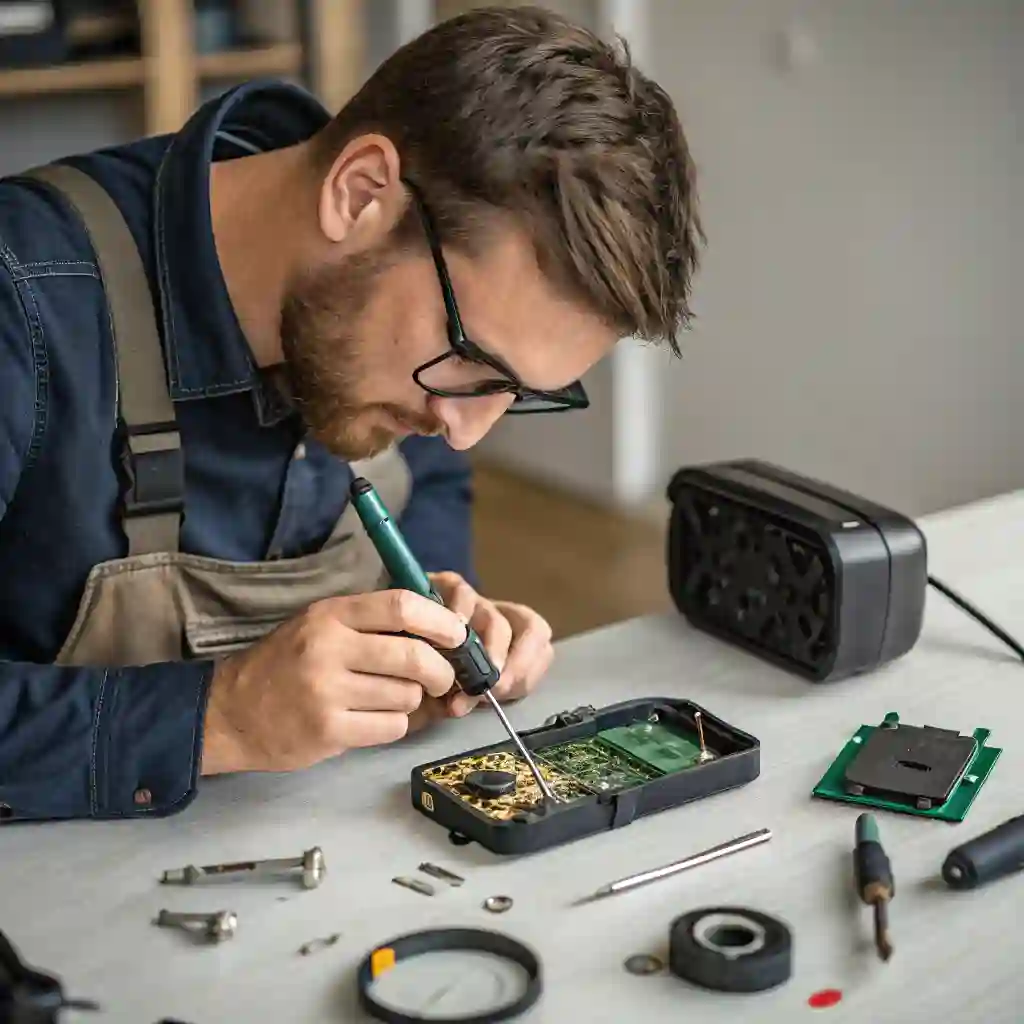
Imagine setting up a trail camera to capture the elusive beauty of wildlife, only to encounter frustrating issues that hinder your efforts. Whether it’s a drained battery, a corrupted memory card, or mysterious false triggers, common problems with trail cameras can dampen your enthusiasm. Understanding these issues and knowing how to troubleshoot them is crucial for maximizing the utility of your device and ensuring you don’t miss a moment of nature’s magic.
This blog post delves into the common issues faced with trail cameras, such as battery life, memory card problems, settings issues, and more, offering practical solutions to help you troubleshoot and optimize your trail camera’s performance.
In this blog, we’ll explore each of these common issues in detail, providing you with step-by-step troubleshooting guides. By the end of this post, you’ll be equipped with the knowledge to overcome these challenges, ensuring your trail camera operates smoothly and captures the stunning wildlife moments you seek.
1. Why Is My Trail Camera’s Battery Draining Quickly and How Can I Fix It?
Battery life is a critical factor in the performance of trail cameras, as it determines how long your device can operate without needing a recharge or battery replacement. However, many users find themselves grappling with trail cameras that drain batteries much faster than expected. This chapter will explore common reasons behind rapid battery drainage and provide practical solutions to extend your trail camera’s battery life.
1.1 Why Is My Trail Camera Draining Batteries So Quickly?
- Frequent Triggering: Trail cameras are designed to capture images or videos whenever motion is detected. If your camera is in an area with a lot of wildlife or other movements, it may be triggered frequently, leading to rapid battery drainage. Consider adjusting the sensitivity settings to reduce unnecessary triggers.
- High Resolution Settings: Higher resolution images require more power to process and store. If your camera is set to capture high-resolution images or videos, it may consume batteries faster. Lowering the resolution can help conserve battery life.
- Extreme Temperatures: Batteries perform poorly in extreme temperatures, whether hot or cold. If your trail camera is exposed to such conditions, it may drain batteries more quickly. Consider using a battery insulator or choosing a camera with temperature-resistant battery technology.
- Battery Quality: Low-quality or counterfeit batteries may not provide the expected lifespan. Always use reputable brands and ensure batteries are fresh and properly charged.
1.2 What Types of Batteries Last the Longest in Trail Cameras?
- Lithium Batteries: Known for their high energy density and performance in various temperatures, lithium batteries are a top choice for trail cameras. They offer a longer lifespan compared to alkaline batteries, especially in cold conditions.
- Alkaline Batteries: While generally reliable, alkaline batteries may not last as long in high-drain devices like trail cameras, especially in extreme temperatures.
- NiMH (Nickel-Metal Hydride) Batteries: Rechargeable NiMH batteries are a cost-effective option, offering good performance and longevity. However, they require proper charging and maintenance to ensure optimal performance.
1.3 How Do I Extend the Battery Life of My Trail Camera with Specific Tips?
- Adjusting Camera Settings: Lower the resolution and reduce the frequency of triggers to minimize power consumption. Some cameras offer energy-saving modes that can be activated for longer battery life.
- Using Energy-Saving Modes: If your camera has an energy-saving mode, make sure it’s enabled. This feature can help reduce power usage during periods of inactivity.
- Battery Care and Storage: Store batteries in a cool, dry place and avoid exposing them to extreme temperatures. Regularly check battery levels and replace them before they are fully depleted.
- Protecting from Extreme Weather: Use a weather-resistant case or insulator to protect your camera and batteries from harsh weather conditions. This can help maintain battery performance and longevity.
By addressing these factors and implementing these tips, you can significantly extend the battery life of your trail camera, ensuring it captures the stunning moments of wildlife without interruption.
2. Why Isn’t My Trail Camera Saving Photos or Videos, and How Can I Fix Memory Card Issues?
In this chapter, we delve into the common issues that might cause your trail camera to fail in saving photos or videos and provide practical solutions to resolve them. Whether you’re dealing with a full memory card, compatibility problems, or corrupted data, this guide will help you troubleshoot and fix memory card issues effectively.
2.1 Why Isn’t My Trail Camera Saving Photos or Videos?
- Memory Card Full: Ensure there is sufficient space on the memory card. Delete old files or replace the card if it’s full.
- Incompatibility: Verify that the memory card meets your camera’s specifications regarding speed class and capacity.
- Formatting Issues: The card might not be properly formatted or could be corrupted. Try formatting it using your camera or a computer.
- Physical Damage: Check for any visible damage to the card or the camera’s card slot.
2.2 How Can I Fix a Corrupted Memory Card on My Trail Camera?
- Use Data Recovery Software: Install and run software like Recuva or EaseUS to recover lost data from the corrupted card.
- Format the Card: If data recovery isn’t successful, format the card using your camera or a computer. Remember, this will erase all data, so back up important files first.
- Check for Physical Damage: Inspect the card for any bends or cracks that might prevent it from functioning properly.
2.3 What Are the Best Practices for Selecting and Maintaining Memory Cards?
- Choose High-Quality Brands: Invest in reputable brands like SanDisk, Sony, or Lexar for reliability.
- Regular Checks and Backups: Regularly transfer and back up your data to prevent loss.
- Proper Care: Keep cards in a dry, cool place and avoid exposing them to extreme temperatures or physical stress.
2.4 Additional Tips for Resolving Memory Card Issues
- Check Card Insertion: Ensure the memory card is properly inserted and securely connected in the camera.
- Test with Another Card: Use a known working memory card to rule out camera issues.
- Update Camera Firmware: Sometimes, a simple firmware update can resolve compatibility issues.
By following these steps and tips, you can effectively troubleshoot and resolve memory card issues, ensuring your trail camera operates smoothly and captures all the moments you expection.
3. How Can I Fix Trail Camera Settings That Won’t Save?
In the world of trail cameras, incorrect settings can turn a promising wildlife observation session into a frustrating experience. Whether it’s a misconfigured sensitivity setting or a failed attempt to adjust the time-lapse interval, these issues can significantly impact the quality of your footage. Understanding how to identify and correct these settings is crucial for maximizing the potential of your trail camera. This chapter will guide you through the process of troubleshooting and resolving settings-related problems, ensuring your camera operates exactly as intended.
3.1. Why Are My Trail Camera Settings Not Saving?
If you’re experiencing issues with your trail camera settings not saving, there could be several reasons:
- Battery Issues: Ensure that the battery is properly charged and inserted. A weak or faulty battery can prevent settings from saving.
- Memory Card Problems: A corrupted or incompatible memory card might interfere with saving settings. Try using a different card to see if the issue persists.
- Camera Malfunction: There could be a hardware or software glitch. Check if the camera is up-to-date with the latest firmware.
3.2. How Do I Reset My Trail Camera to Factory Settings?
Resetting your trail camera to factory settings can resolve settings-related issues. Here’s how to do it:
- Access the Menu: Navigate to the main menu of your camera.
- Find the Reset Option: Look for a “Reset” or “Factory Settings” option, usually found under “Setup” or “System.”
- Confirm the Reset: Select the reset option and confirm. This will restore all settings to their default values.
3.3 What Are the Essential Settings I Should Understand for Optimal Performance?
To get the best out of your trail camera, familiarize yourself with these key settings:
- Resolution: Higher resolution means better image quality but requires more storage space.
- Sensitivity: Adjust this to control how easily the camera is triggered by motion.
- Trigger Speed: Set this according to how fast you want the camera to respond to movement.
- Time-Lapse: Useful for monitoring changes over time, adjust intervals based on your needs.
3.4 Tips for Setting Up Your Trail Camera Correctly
- Test in Different Environments: Experiment with settings in various conditions to see what works best.
- Consult the Manual: Refer to the user manual for specific instructions related to your camera model.
- Regular Maintenance: Keep your camera clean and check settings periodically to ensure they align with your monitoring goals.
By addressing these areas, you can ensure that your trail camera operates efficiently and captures the moments you expection without any settings-related hiccups.
4. How Can I Minimize False Triggers and Protect My Trail Camera from Animal Damage?
One of the most common challenges faced by trail camera users is dealing with false triggers and the risk of animal damage. These issues can lead to wasted battery life, missed shots, and even costly repairs. Whether it’s a curious deer nudging your camera or a strong gust of wind triggering the sensor, these scenarios can be both frustrating and disappointing. In this chapter, we’ll explore effective strategies to minimize false triggers and safeguard your trail camera from wildlife interference, helping you capture the perfect shots without hassle.
4.1 Why is my trail camera being triggered by non-animal movements?
- High Sensitivity Settings: If your camera is set to a high sensitivity mode, it may detect even the slightest movements, such as leaves rustling or insects passing by. Try lowering the sensitivity to reduce false triggers.
- Placement Near Windy Areas: Strong winds can cause branches and leaves to move, triggering the camera. Consider relocating your camera to a more sheltered spot to minimize wind interference.
- Insects or Small Animals: These can sometimes set off the motion sensor. Using a motion detection filter or a camera with advanced filtering capabilities can help distinguish between large and small movements.
- Proximity to Roads or Vibration Sources: Cameras near roads might be triggered by vehicle vibrations. Moving the camera to a quieter location can solve this issue.
4.2 How can I prevent animals from damaging my trail camera?
- Use a Durable, Weather-Resistant Case: Invest in a sturdy case that can withstand rough conditions and protect the camera from curious animals.
- Mounting at the Right Height: Position the camera at a height where most animals can’t reach it. This reduces the risk of damage from wildlife interactions.
- Apply Animal Repellents: Use natural or commercial repellents around the camera area to deter animals from approaching.
- Secure with Locks or Tamper-Proof Mounts: Adding locks or using tamper-proof mounts can provide an extra layer of protection against animal interference.
Additional Tips:
- Regular Checks: Periodically inspect your camera to ensure it’s secure and functioning properly. Reapply protective measures as needed.
- Understanding Animal Behavior: Learn about the wildlife in your area to choose the best placement for your camera, avoiding high-traffic animal paths.
- Testing in Different Conditions: Experiment with different settings and locations to find the optimal setup that minimizes false triggers and maximizes security.
By addressing these common issues, you can enjoy clear, uninterrupted footage and peace of mind knowing your trail camera is well-protected.
5. Why Are the Photos from My Trail Camera Blurry, and How Can I Improve Its Low-Light Performance?
Nothing is more disappointing than reviewing your trail camera footage only to find blurry images or poor-quality nocturnal shots. Blurry photos can be a result of various factors, from incorrect focus settings to low-light conditions that challenge even the best cameras. This chapter will delve into the common causes of blurry images and provide practical tips to enhance your trail camera’s performance in low-light environments. By the end of this chapter, you’ll be equipped with the knowledge to achieve crisp, clear photos regardless of the lighting conditions.
5.1 Why Are the Photos from My Trail Camera Blurry?
- Explore common causes such as incorrect focus, low light conditions, motion blur, and camera shake.
- Provide solutions like adjusting focus settings and securing the camera mount.
5.2 How Do I Improve the Low-Light Performance of My Trail Camera?
- Discuss the use of infrared capabilities and adjusting sensitivity settings.
- Recommend cameras with advanced low-light technology.
5.3 What Camera Settings Affect Image Clarity?
- Explain the impact of ISO, shutter speed, and aperture on image quality.
- Offer guidance on manual adjustments for better clarity.
5.4 How Can I Adjust Exposure and Focus for Better Pictures?
- Provide step-by-step instructions for optimizing exposure and focus settings.
- Include tips for achieving sharp images in various lighting conditions.
5.5 How Does Weather Impact the Image Quality of My Trail Camera?
- Address the effects of moisture, temperature, and other environmental factors.
- Suggest protective measures like waterproof covers.
5.6 What Are the Best Practices for Camera Placement to Ensure Clear Images?
- Offer tips on choosing the right location to avoid obstructions and unwanted backgrounds.
- Emphasize the importance of stability and angle for clear photos.
5.7 Are There Specific Lenses or Accessories That Can Improve Image Quality?
- Recommend lenses like wide-angle options and accessories for enhancing clarity.
- Discuss the benefits of using additional equipment for better performance.
By addressing these questions, this chapter aims to provide readers with practical, easy-to-follow advice to enhance the image quality of their trail cameras, ensuring they capture clear and vibrant photos in various conditions.
6. Why Can’t I Connect My Trail Camera to My Smartphone or Computer?
The ability to connect your trail camera to a smartphone or computer is essential for managing and reviewing your wildlife footage. However, connectivity issues can be a significant roadblock, leaving you frustrated and unable to access your precious images. Whether it’s a stubborn Wi-Fi connection or a Bluetooth glitch, these problems can be frustrating to resolve. This chapter will walk you through the steps to diagnose and fix common connectivity issues, ensuring a smooth and seamless transfer of your trail camera’s data to your devices.
6.1 How Do I Troubleshoot Wi-Fi Connectivity Problems with My Trail Camera?
- Check Wi-Fi settings and ensure the camera is within range.
- Look for interference from other devices or obstacles.
- Reset the camera’s Wi-Fi settings if necessary.
6.2 Why Is My Trail Camera Not Detecting Wi-Fi Networks?
- Ensure the Wi-Fi is enabled and the network is within range.
- Check for hardware issues or software bugs.
- Verify that the correct settings are configured.
6.3 Why Is My Trail Camera Disconnecting Frequently?
- Investigate weak signal strength or interference.
- Consider battery issues affecting connectivity.
- Look for firmware updates that may improve stability.
6.4 How Can I Improve the Wi-Fi Signal Strength for My Trail Camera?
- Relocate the camera to a better position.
- Use a Wi-Fi extender or repeater.
- Ensure there are no obstructions blocking the signal.
6.5 What Are Common Solutions for Bluetooth Connectivity Issues?
- Although less common, ensure Bluetooth is enabled and compatible.
- Check for firmware updates that may enhance Bluetooth performance.
6.6 Why Is My Trail Camera Not Recognizing My Smartphone or Computer?
- Ensure both devices are on the same network.
- Check for driver updates or compatibility issues.
- Try connecting with a different device to rule out hardware problems.
6.7 What Firmware Updates Can Improve Connectivity?
- Regularly check for and install firmware updates.
- Look for updates that specifically address connectivity bugs.
6.8 What Are Common Mistakes Users Make with Connectivity?
- Using the wrong Wi-Fi password or network settings.
- Not securing the connection properly.
- Overlooking simple solutions like restarting the device.
By addressing these questions, this chapter aims to provide a comprehensive guide to diagnosing and resolving connectivity issues, ensuring a seamless experience with your trail camera.
7. How Do I Troubleshoot Common Hardware Failures in My Trail Camera?
Trail cameras are designed to withstand harsh outdoor conditions, but even the most durable models can experience hardware issues. Understanding how to identify and address these problems is crucial for maintaining your trail camera’s performance. This chapter will guide you through the common hardware failures, offer troubleshooting tips, and help you decide when it’s time to repair or replace your device.
7.1 How Can I Identify Common Hardware Failures in My Trail Camera?
- Why Is My Trail Camera Not Turning On?
Check for battery issues, ensure proper installation, and inspect for water damage. - What Should I Do If the Lens Is Fogged Up?
Learn how to clear fog and prevent future occurrences with moisture-resistant covers. - Is My Camera’s Battery Compartment Damaged?
Identify signs of wear and how to protect this critical component.
7.2 When Should I Repair Versus Replace My Trail Camera?
- What Are the Signs of Irreparable Damage?
Recognize when repair is no longer feasible. - How Much Does Repair Typically Cost?
Compare repair costs with the value of your camera. - Is It Worth Upgrading to a New Model?
Consider the benefits of newer technology and features.
7.3 How Can I Prevent Hardware Failures in My Trail Camera?
- What Maintenance Steps Should I Take?
Regular checks, proper storage, and protective measures. - Are There Specific Environmental Precautions?
Tips for protecting against extreme weather and wildlife.
7.4 What Should I Do If My Trail Camera Is Still Under Warranty?
- How Do I Contact Customer Support?
Steps to reach out and what information to provide. - What Documentation Do I Need for Warranty Claims?
Gather necessary proof of purchase and damage reports.
By following the guidelines in this chapter, you can confidently troubleshoot and maintain your trail camera. Remember prevention is key—regular maintenance can extend your camera’s lifespan. Use the provided checklist for quick reference and don’t hesitate to reach out for support. Share your experiences and tips in the comments below to help others navigate their trail camera journey.
8. What steps should I take to protect my trail camera from physical damage caused by exposure to the elements?
Trail cameras are essential tools for wildlife monitoring, hunting, and security, but they can be vulnerable to damage from the elements. Whether it’s extreme temperatures, moisture, or physical impact, exposure to harsh conditions can render your trail camera useless. In this section, we’ll discuss how to handle common issues and protect your investment.
8.1 What Should I Do If My Trail Camera Is Not Working After Being Exposed to Weather?
If your trail camera has been exposed to adverse weather conditions and is not functioning, follow these steps:
Check for Water Intrusion:
- If the camera was exposed to rain, snow, or high humidity, it may have water inside. Check for any visible water or moisture inside the camera.
- If you find moisture, turn off the camera and remove the battery and memory card immediately.
- Allow the camera to dry completely before attempting to turn it on again. You can use a dry, warm place or even a container of uncooked rice to help absorb moisture.
Inspect the Battery:
- Sometimes, moisture can cause the battery contacts to corrode. Check the battery compartment for any signs of corrosion or damage.
- If the battery is damaged, replace it with a new one.
Test the Camera:
- Once the camera is dry and the battery is replaced, try turning it on again. If it still doesn’t work, the damage may be more severe.
- If the camera is still under warranty, contact the manufacturer for a replacement or repair.
Consider Professional Repair:
- If the camera is out of warranty and still not working, consider taking it to a professional electronics repair service. However, be aware that this can be expensive, and the camera may not be worth the cost of repair.
8.2 How Can I Protect My Trail Camera from Extreme Temperatures?
Extreme temperatures can adversely affect the performance of your trail camera. Here are some tips to protect your camera from heat and cold:
Use a Waterproof Case:
- Even if your trail camera is waterproof, using an additional waterproof case can provide extra protection against moisture and temperature extremes.
Insulate the Camera:
- In extremely cold environments, consider insulating the camera with a layer of foam or bubble wrap. This can help maintain a more stable temperature inside the camera.
Avoid Direct Sunlight:
- In hot climates, try to mount your camera in a shaded area to avoid direct sunlight, which can cause the camera to overheat.
Use a Temperature-Resistant Lens Cover:
- Some trail cameras come with lens covers that are designed to withstand temperature extremes. If your camera doesn’t have one, consider purchasing a compatible cover.
Check the Camera’s Temperature Range:
- Before purchasing a trail camera, check the manufacturer’s specifications to ensure it can handle the temperature range in your area.
8.3 What Are the Best Storage Solutions for Trail Cameras During Off-Seasons?
When the hunting season is over or you’re not using your trail camera for a while, proper storage is crucial to preserve its functionality. Here are some storage solutions:
Store in a Dry, Cool Place:
- Keep your trail camera in a dry, cool place, such as a closet or a dry box. Avoid storing it in a garage or attic where temperature fluctuations are common.
Use a Sealed Container:
- Place your trail camera in a sealed plastic container or airtight bag to protect it from dust, moisture, and pests.
Remove the Battery:
- Before storing your camera, remove the battery to prevent any battery leakage or damage to the camera.
Clean the Camera Before Storage:
- Before storing, clean the camera lens and body to remove any dirt, dust, or debris. This will prevent buildup that could damage the camera during storage.
Check the Camera Periodically:
- Even during storage, check your camera periodically to ensure it’s still in good condition. Replace the battery if necessary and make sure it’s still functioning properly.
By following these tips, you can protect your trail camera from physical damage and ensure it’s ready to use when you need it.
9. How Do I Troubleshoot Software Glitches in My Trail Camera?
In the world of trail cameras, software glitches can be frustrating and disruptive, potentially leading to missed wildlife moments or incomplete data. Whether your camera is freezing, not responding, or exhibiting other erratic behavior, understanding how to address these issues is crucial. This chapter will guide you through identifying and resolving common software problems, ensuring your trail camera operates smoothly.
9.1 Why Is My Trail Camera Freezing or Not Responding?
Possible Causes:
- Software Bugs: Like any electronic device, trail cameras can have software bugs that cause freezing or unresponsiveness.
- Corrupted Settings: Misconfigured or corrupted settings can lead to malfunctions.
- Memory Card Issues: A corrupted or incompatible memory card can cause the camera to freeze.
Troubleshooting Steps:
Reset the Camera:
- Try turning the camera off and on again. If there’s a reset button, use it to restore factory settings.
Check the Memory Card:
- Remove and reinsert the memory card to ensure it’s properly connected. Consider using a different card to rule out compatibility issues.
Update Firmware:
- Outdated firmware can cause bugs. Check for updates and follow the manufacturer’s instructions to update.
9.2 How Do I Update the Firmware on My Trail Camera?
Step-by-Step Guide:
Download the Latest Firmware:
- Visit the manufacturer’s website and download the latest firmware version for your model.
Prepare Your Equipment:
- Ensure your camera is charged or has fresh batteries. Use a compatible USB cable and computer for the update process.
Follow Manufacturer Instructions:
- Connect the camera to your computer and follow the provided software instructions to update the firmware.
Be Patient:
- Allow the update to complete without interruptions. Do not disconnect the camera or turn it off during the process.
Check for Success:
- After the update, check if the issue has been resolved.
9.3 What Are the Benefits of Keeping My Trail Camera’s Firmware Up-to-Date?
- Improved Performance: Updates often include bug fixes and performance enhancements.
- New Features: You might gain access to new functionalities or improved settings.
- Security Enhancements: Updates can patch security vulnerabilities, protecting your data.
9.4 What Should I Do If the Software Issue Persists?
- Contact Customer Support:
If basic troubleshooting doesn’t work, reach out to the manufacturer’s customer support for further assistance. - Seek Community Help:
Online forums and communities can be a valuable resource. Other users might have encountered and solved similar issues. - Professional Assistance:
If the problem is severe, consider sending the camera back to the manufacturer for professional servicing.
By following these troubleshooting steps, you can effectively address software glitches in your trail camera, ensuring it continues to capture the wildlife moments you love. Remember, patience and careful troubleshooting are key. If issues persist, don’t hesitate to seek help from professionals or online communities. Happy trails!
10. Why Isn’t My Trail Camera Detecting Any Animals, and How Do I Choose the Best Location for It?
When setting up a trail camera, one of the most frustrating experiences is not capturing any wildlife activity. This could be due to a variety of factors related to the camera’s placement and installation. Let’s explore common issues and solutions to ensure your trail camera is positioned optimally.
10.1 Why Isn’t My Trail Camera Detecting Any Animals?
- Incorrect Location: If your camera is placed in an area where animals rarely visit, it’s unlikely to capture any activity. Consider researching local animal behavior or consulting with wildlife experts to identify high-traffic areas.
- Miscalibrated Motion Sensor: Ensure that the camera’s motion sensor is correctly calibrated. Adjust sensitivity settings to account for the environment, such as wind or foliage movement.
- Obstructed View: Check if the camera’s lens is clear of debris or vegetation that might block the view or trigger the camera incorrectly.
10.2 How Do I Choose the Best Location for My Trail Camera?
- Consider Animal Behavior: Place the camera near water sources, food spots, or animal trails. These areas are more likely to have frequent wildlife activity.
- Optimal Height and Angle: Position the camera at a height that captures the midsection of the animals you’re targeting. Typically, 24-36 inches above ground level works well for many species. Angle the camera slightly downward to capture the animal’s full body.
- Concealment and Camouflage: Use natural surroundings to hide the camera. Consider using camouflage covers or placing it among foliage to avoid detection by animals.
- Ease of Access: Choose a spot that is easy to reach for regular checks and maintenance, but still hidden from public view.
- Seasonal Considerations: Animal behavior changes with the seasons. Adjust camera placement accordingly to account for migration patterns or breeding seasons.
10.3 Landscape Considerations
- Water Sources: Animals often visit waterholes, so placing your camera nearby can be fruitful.
- Food Spots: Areas with abundant food sources, like fruit trees or grazing lands, are prime locations.
- Elevation: Higher elevations might offer a broader view, but ensure the camera is stable and secure.
10.4 Common Mistakes to Avoid
- Placing Too High or Too Low: This can result in partial views or missing the animal entirely.
- Excessive Vegetation: Dense foliage can obscure the camera’s view or cause false triggers.
- Inadequate Concealment: Visible cameras might scare animals away.
10.5 Testing and Adjustments
- Trial Shots: Take a few trial photos or videos to see if the placement is effective. Adjust the position based on the results.
- Seasonal Adjustments: As seasons change, animals might alter their paths. Be ready to move your camera accordingly.
10.6 Ethical Considerations
- Minimize Disturbance: Ensure the camera’s presence doesn’t disrupt the animals’ natural behavior.
- Respect Privacy: Avoid placing cameras in areas where they might inadvertently capture human activity.
Choosing the right location for your trail camera is crucial for capturing wildlife effectively. By considering animal behavior, optimal height, concealment, and seasonal changes, you can maximize your chances of success. Don’t be afraid to experiment and adjust your camera’s placement based on the results. With patience and careful planning, you’ll be well on your way to capturing stunning wildlife moments.
11.What Are Some Budget-Friendly Troubleshooting Tips for Trail Cameras?
In the world of trail cameras, unexpected issues can arise, and while it’s tempting to reach for your wallet, many problems can be resolved with simple, cost-effective solutions. This chapter offers practical tips to keep your trail camera in top shape without breaking the bank.
11.1 What are some cost-effective solutions for common trail camera issues?
- Battery Drainage: Opt for high-quality, long-lasting batteries and store them in a cool, dry place to extend their life. Consider using a battery insulator to protect against extreme temperatures.
- Memory Card Problems: Use a card checker to test memory cards before use, and always carry spares. Format cards using the camera to ensure compatibility.
11.2 How can I perform DIY repairs on my trail camera without spending much?
- Cleaning the Lens: Gently wipe the lens with a soft, dry cloth. For stubborn smudges, use a mixture of water and mild soap, ensuring no liquid enters the camera.
- Securing the Camera: Use weather-resistant tape to seal any gaps, preventing moisture and dust from entering.
11.3 What household items can I use to troubleshoot my trail camera?
- Tape: Use it to secure cables or cover exposed parts, preventing dust and moisture intrusion.
- Cloth: A soft, lint-free cloth is ideal for cleaning the exterior and lens.
11.4 When should I avoid DIY repairs and seek professional help?
- Water Damage: If water has entered the camera, professional repair is essential to avoid further damage.
- Complex Issues: For problems involving electronics or intricate parts, it’s best to consult a professional to prevent voiding the warranty.
11.5 How can I extend the lifespan of my trail camera through maintenance?
- Regular Cleaning: Keep the camera clean and dry, checking for debris after each use.
- Proper Storage: Store the camera in a cool, dry place when not in use, and protect it from extreme temperatures.
- Firmware Updates: Regularly check for and install firmware updates to ensure optimal performance.
By adopting these budget-friendly troubleshooting tips, you can maintain your trail camera’s performance and longevity without unnecessary expenses. Remember, a little proactive care goes a long way in preserving your investment and ensuring you capture those precious wildlife moments. Happy trails!
12. What Are Some Real-Life Examples of Trail Camera Issues and How Were They Solved?
In this chapter, we delve into real-life scenarios where trail camera users faced various challenges and how they overcame them. These case studies provide valuable insights and practical solutions that can help you troubleshoot issues with your own trail camera.
Case Study 1: John’s Constant False Triggers
Question: How did John resolve his trail camera’s constant false triggers?
Answer: John noticed that his trail camera was frequently capturing images of tree branches swaying in the wind, leading to numerous false triggers. To address this, he adjusted the motion sensitivity settings to a lower level and repositioned the camera to avoid direct exposure to strong winds. Additionally, he used a motion-filtering software to eliminate unnecessary triggers, significantly reducing false positives.
Case Study 2: Sarah’s Trail Camera Low-Light Performance
Question: What steps did Sarah take to fix her trail camera’s low-light performance?
Answer: Sarah was disappointed with the grainy images her trail camera produced at night. She discovered that the camera’s infrared LEDs were not functioning properly. After checking the user manual, she updated the camera’s firmware and calibrated the infrared settings. She also invested in a higher-quality memory card to ensure faster write speeds, which improved the overall low-light performance.
Case Study 3: Mike’s Connectivity Issues
Question: How did Mike handle the issue of his trail camera not connecting to his smartphone?
Answer: Mike struggled to connect his trail camera to his smartphone for remote monitoring. He first checked the Bluetooth and Wi-Fi settings on both devices, ensuring they were compatible and within range. After updating the camera’s firmware and reinstalling the smartphone app, the connection was successfully established. Mike also learned to keep both devices up to date to avoid future connectivity issues.
These real-life examples highlight the importance of patience, thorough troubleshooting, and adaptability when dealing with trail camera issues. By learning from these experiences, you can better diagnose and resolve problems with your own equipment. We encourage readers to share their own troubleshooting stories in the comments, contributing to a collective knowledge base that benefits all trail camera enthusiasts.
Remember, every challenge presents an opportunity to learn and improve your trail camera setup. Stay curious, keep experimenting, and most importantly, enjoy the process of capturing nature’s fleeting moments.
13. Navigating Warranty and Customer Support for Trail Cameras
When dealing with trail cameras, understanding your warranty and how to utilize customer support is crucial for ensuring a smooth experience. Here’s a comprehensive guide to help you navigate these aspects effectively.
13.1 What Should I Do If My Trail Camera Is Still Under Warranty?
If your trail camera is still under warranty, it’s important to know what’s covered. Typically, warranties cover manufacturing defects and malfunctions that aren’t due to user error. Here’s what you should do:
- Check the Warranty Period: Ensure your camera is within the warranty period, usually outlined in the user manual or on the manufacturer’s website.
- Understand Coverage: Know what parts or issues are covered. Some warranties may exclude issues like water damage or accidental breakage.
- Document the Issue: Take photos or videos of the problem and keep records of any communication with customer support.
13.2 How Do I Contact Customer Support for My Trail Camera?
Getting in touch with customer support is often easier than you think. Here’s how:
- Manufacturer’s Website: Most brands have a support section on their website with contact information.
- Customer Service Numbers: Check the user manual or packaging for a toll-free number.
- Email Support: Many companies offer email support; look for a “Contact Us” section online.
13.3 What Documentation Do I Need for Warranty Claims?
To make a successful warranty claim, you’ll need:
- Proof of Purchase: Keep your receipt or invoice handy.
- Warranty Card: If included, submit the warranty card with your claim.
- Details of the Issue: Clearly describe the problem and include any evidence like photos or videos.
13.4 Understanding Warranty Terms
Don’t assume all issues are covered. Read the warranty terms to understand:
- Manufacturing Defects vs. Accidental Damage: Most warranties cover manufacturing defects but may not include accidental damage.
- Voiding the Warranty: Ensure you’re not doing anything that could void the warranty, like opening the camera yourself.
13.5 What If the Warranty Doesn’t Cover the Issue?
If your issue isn’t covered by the warranty:
- Repair Services: Look for authorized repair centers or third-party services.
- DIY Fixes: For minor issues, consider simple fixes, but be cautious.
- Upgrade Consideration: If the camera is outdated or the repair costs are high, it might be time for a new model.
13.6 Real-Life Scenario: Navigating the Warranty Process
Imagine your trail camera stops working within a year of purchase. You check the warranty, gather your proof of purchase, and contact customer support. Describe the issue clearly and provide any documentation. They might request a return for inspection. Following these steps ensures a smoother process.
Understanding your trail camera’s warranty and how to interact with customer support is key to resolving issues efficiently. By knowing what’s covered, how to contact support, and what documentation is needed, you can save time and hassle. Empower yourself with this knowledge to make the most of your warranty and enjoy hassle-free use of your trail camera.
Conclusion
Trail cameras are powerful tools for capturing wildlife, monitoring property, and exploring nature, but like any technology, they can encounter issues. From battery drainage and memory card problems to connectivity glitches and hardware failures, this blog has covered a wide range of common trail camera challenges and provided practical, budget-friendly solutions to address them. By understanding how to troubleshoot these issues, you can ensure your trail camera operates smoothly and reliably, capturing the moments that matter most.
As you continue to use your trail camera, remember that proactive maintenance, proper placement, and staying informed about firmware updates are key to avoiding problems. Whether you’re a seasoned wildlife enthusiast or a beginner, the tips and real-life examples shared in this blog will help you get the most out of your device.
We encourage you to share your own trail camera experiences and troubleshooting tips in the comments below. Your insights could help fellow readers solve their own challenges and enhance their outdoor adventures. Happy trails, and may your trail camera always capture the beauty of nature!